How do I select students for preferential seating?
Use this when you want to mark specific students as needing preferential seating so ClassSeats knows who should be placed in preferred seats.
Select students who need preferential seating
-
Click the Students tab in the top navigation.
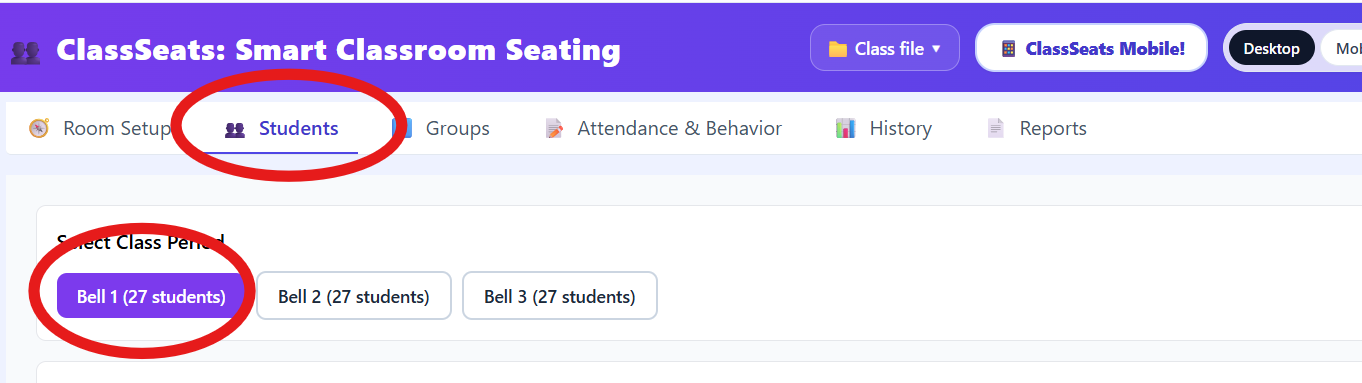
The Students tab shows the class period selection in the top bar. - Select the class period you want to work with.
-
In the Students list area, click the Seating Criteria toggle near the search box.

Seating Criteria mode appears at the top of the Students page. - Find the student you want to mark.
-
Check Needs preferred seating.
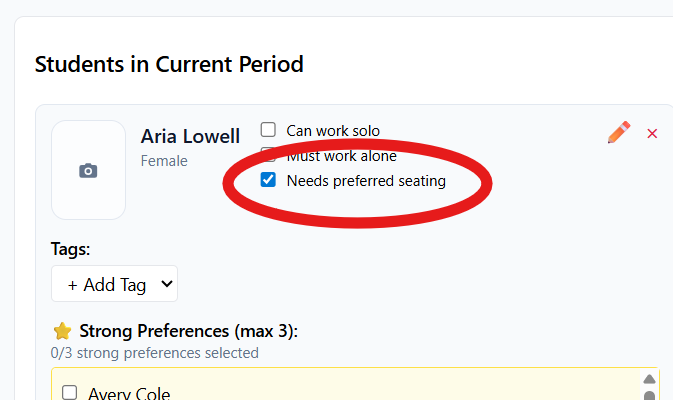
The student card shows the Needs preferred seating option. - Repeat for any other students who should receive preferential seating.
Unselect a student
- Stay in Seating Criteria mode.
- Uncheck Needs preferred seating for the student.
Tip: Selecting students for preferential seating does not assign seats by itself. You’ll apply these preferences later when creating or updating a seating arrangement.