Showing student tags on class rosters
Class rosters can include student tags so you have important information available in a printable or shareable classroom list. You can show all tags or choose only the tags you want on the roster.
Step 1: Start with student tags
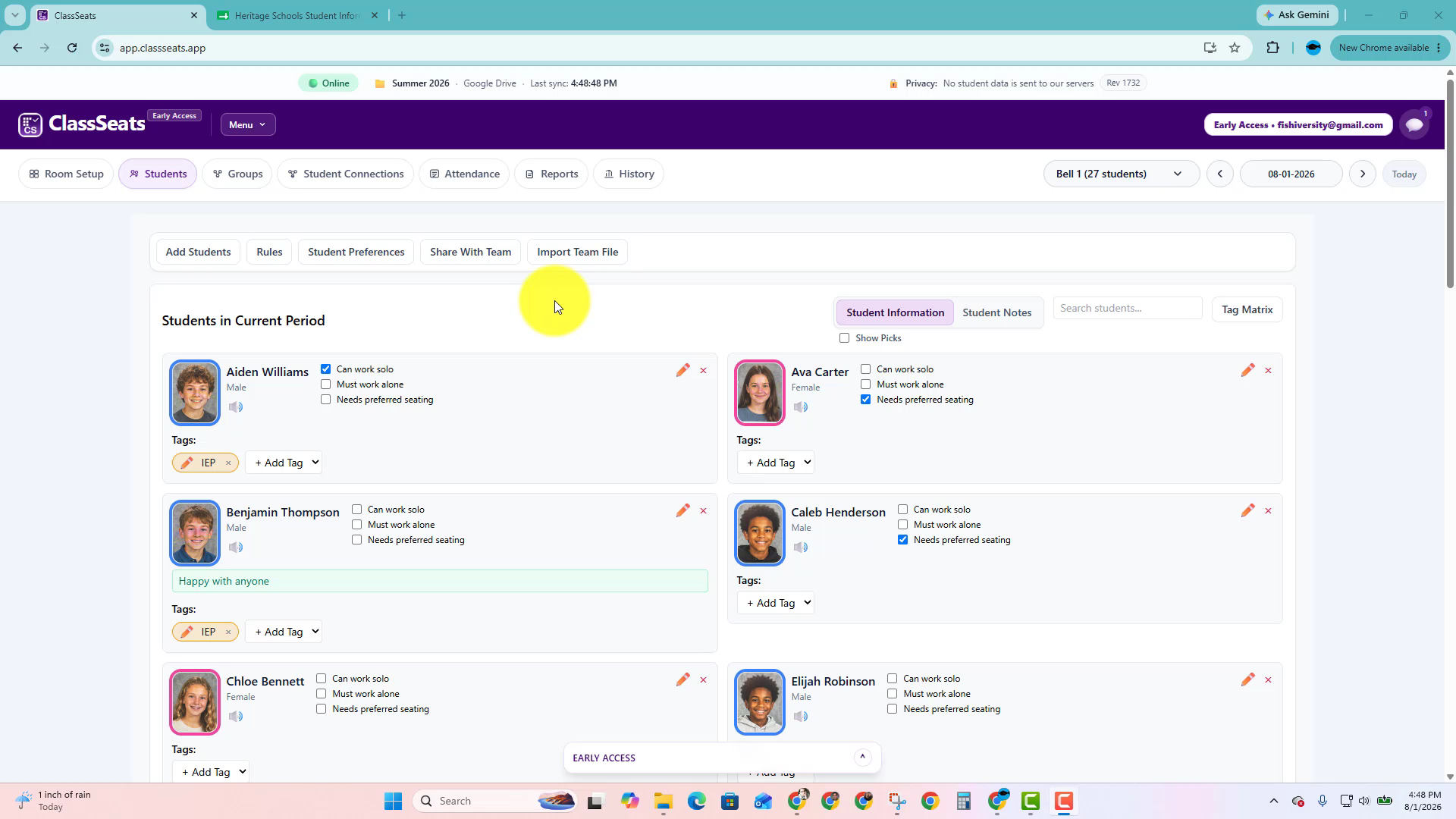
Student tags appear on student cards in the Students tab.
These are the same tags you can include on a class roster.
Step 2: Open the roster report
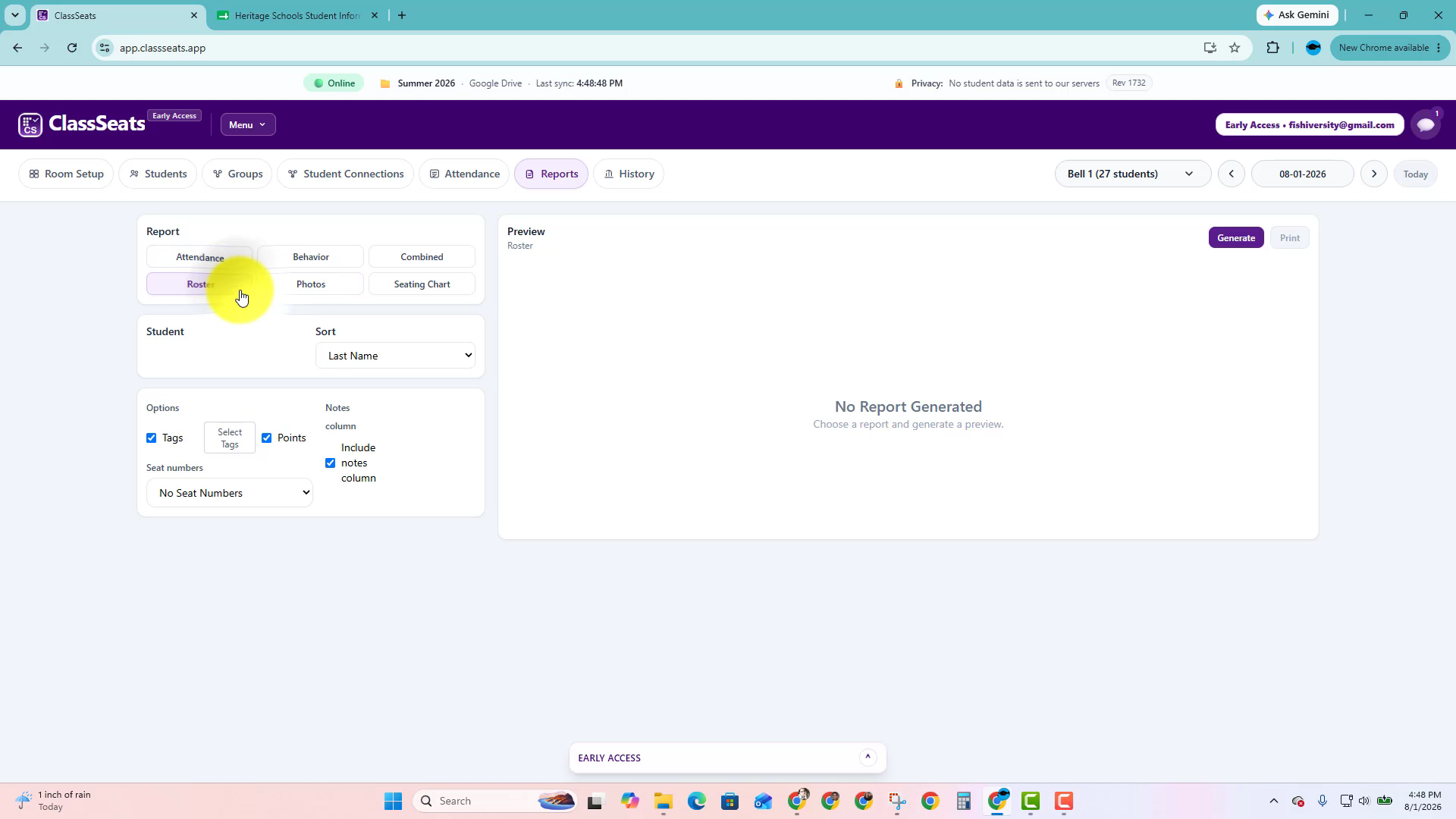
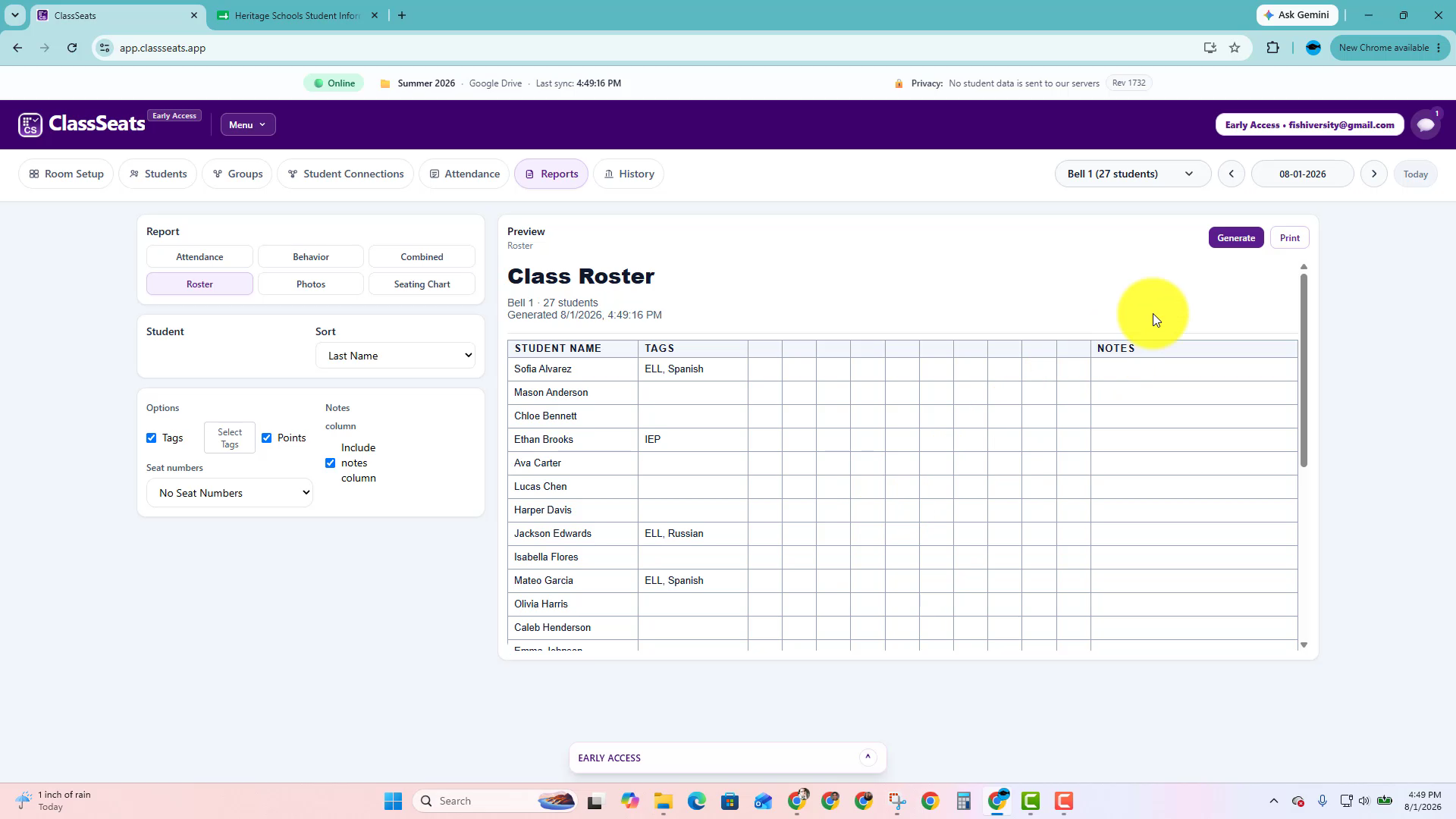
Go to Reports, then choose Roster.
The roster options appear on the left side of the page.
Step 3: Turn on tags
In the roster options, make sure Tags is checked.
You can also choose whether to include points, notes, or seat numbers.
Step 4: Choose which tags to show
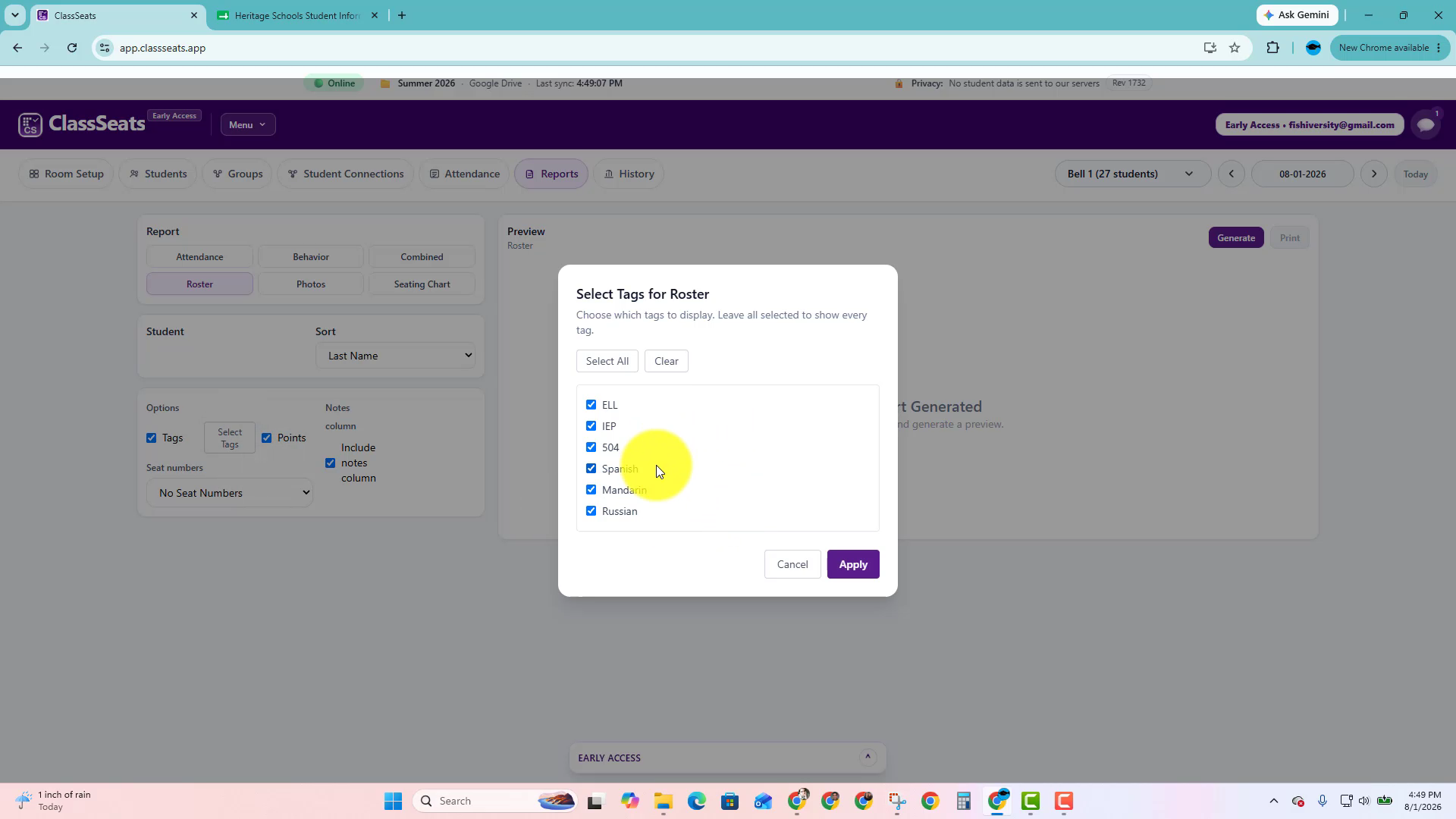
Click Select Tags if you only want certain tags on the roster.
Leave all tags selected if you want every available tag to appear.
Step 5: Generate and print the roster
Click Generate to preview the roster. The selected tags appear in the Tags column next to each student.
When it looks right, click Print.
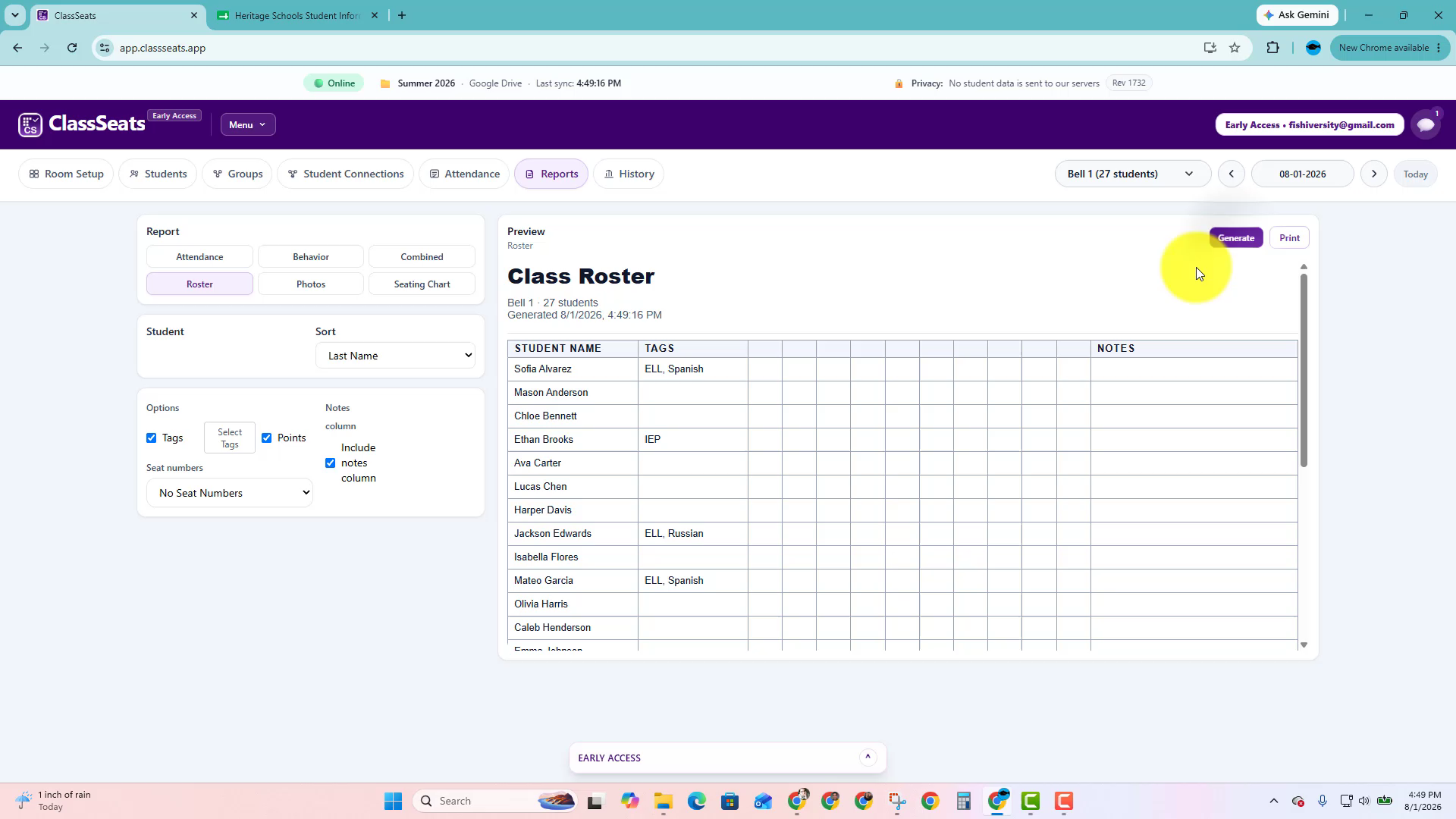
The print preview opens with the roster ready to print or save as a PDF, depending on your browser and computer settings.
Video demo
Watch how to create a class roster that includes student tags.
Next: Back to Student Tags