How do I select preferred seats in my seating arrangement?
Use this when you want to mark specific seats as preferred so you can use them later for preferential seating.
Select preferred seats
- Go to the Seating Arrangement Manager.
-
Find the seating arrangement you want to update and click Edit.
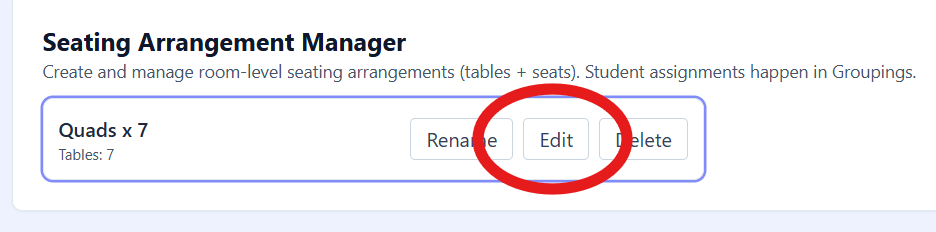
The Seating Arrangement Manager shows the Edit button for a layout. -
In the editor toolbar, under VIEW, check ✨ Preferred Seats.

The editor toolbar shows Preferred Seats enabled in the VIEW row. -
Click a seat’s ⭐ to toggle it:
Outline star = not preferred
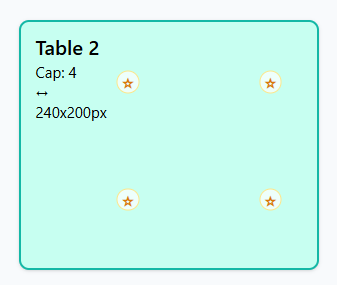
Unselected seats show an outline star. Filled (orange) star = preferred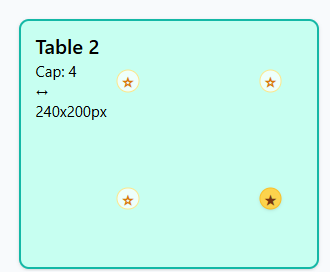
Preferred seats show a filled star. - Repeat for any seats you want to mark.
- Click Done to close the editor and save the arrangement.
Unselect a preferred seat
- Open the seating arrangement and check ✨ Preferred Seats.
- Click the filled ⭐ again to turn it back into an outline.
- Click Done to save and close.
Tip: If you don’t see any stars, make sure ✨ Preferred Seats is checked under VIEW.